Progressive Web App
Install ManhuaRead on Android, iOS or your desktop for an app-like reading experience.
Overview
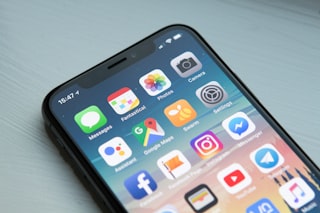
A Progressive Web App (PWA) is a lightweight version of ManhuaRead you can install directly on your device like a normal app. It loads faster, runs smoother, and lets you reach your favorite series with a single tap.
ManhuaRead PWA works across iPhone, iPad, Android phones and tablets, Windows, macOS, and Linux — same clean, app-like reader, anywhere.
Android
UI visible or full-screen.
- Open manhuaread.online in Chrome
- Tap the three-dot menu (⋮) in the top right
- Select "Add to Home screen" or "Install app"
- Tap Install on the prompt
Works best with Chrome. It may take around 30–60s for the install button to appear. You can only install one PWA version at a time — delete the existing one if you want to switch.
iOS / iPadOS
Safari and most other iOS browsers.
Open the site in your browser, tap the Share icon, and select Add to Home Screen. This works on Safari and most other iOS browsers, letting you access ManhuaRead like a regular app.
Open site & tap Share
Select "Add to Home Screen"
Name & tap Add
Desktop (Windows / macOS / Linux)
Chrome, Edge, and other Chromium browsers.
- Open manhuaread.online in Chrome or Edge
- Look for the install icon (⊕) in the address bar, or open the browser menu
- Click "Install ManhuaRead"
- Confirm the install — a desktop shortcut will be created